Applies to: Conan Exiles on the Gravel Host Panel · Time: about 5 minutes · Difficulty: Beginner
Switch your Conan Exiles server to the Exiled Lands, the Isle of Siptah or a modded map by adding one setting to Engine.ini.
¶ Before you start
- A Conan Exiles server with Gravel Host. No server yet? Get one here
- For a modded map: the map location from the mod's Steam Workshop page.
¶ Steps
-
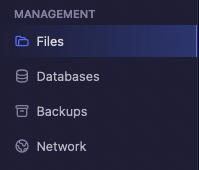
In the panel, open Files.
-
Go to the
/server-data/Config/WindowsServer/folder. -
Open
Engine.ini. -
At the bottom of the file, paste the block for the map you want to use.
Exiled Lands
[/Script/EngineSettings.GameMapsSettings] ServerDefaultMap=ConanSandboxIsle of Siptah
[/Script/EngineSettings.GameMapsSettings] ServerDefaultMap=/Game/DLC_EXT/DLC_Siptah/Maps/DLC_Isle_of_SiptahModded map: replace
ModdedMapLocationwith the modded map location from the mod's Steam Workshop page.[/Script/EngineSettings.GameMapsSettings] ServerDefaultMap=ModdedMapLocation -
Save and close the file.
-
Restart the server.
¶ Check it worked
The server loads the new map when it starts. Join it to check.
¶ Troubleshooting
¶ The server still loads the old map
Check that you edited Engine.ini in /server-data/Config/WindowsServer/, pasted only one map block, and saved the file before restarting.
¶ Related guides
Still stuck? Our team is on Discord, or open a ticket from the Billing Panel.