Applies to: ARK: Survival Ascended on the Gravel Host Panel · Time: about 5 minutes · Difficulty: Beginner
Find and join your ARK: Survival Ascended server from the in-game Unofficial server list, or connect directly from the console if it does not show up.
¶ Before you start
- An ARK: Survival Ascended server with Gravel Host. No server yet? Get one here
- Your server's name, and its password if you set one on the Startup tab in the panel.
¶ Steps
¶ Option 1: The Unofficial server list (recommended)
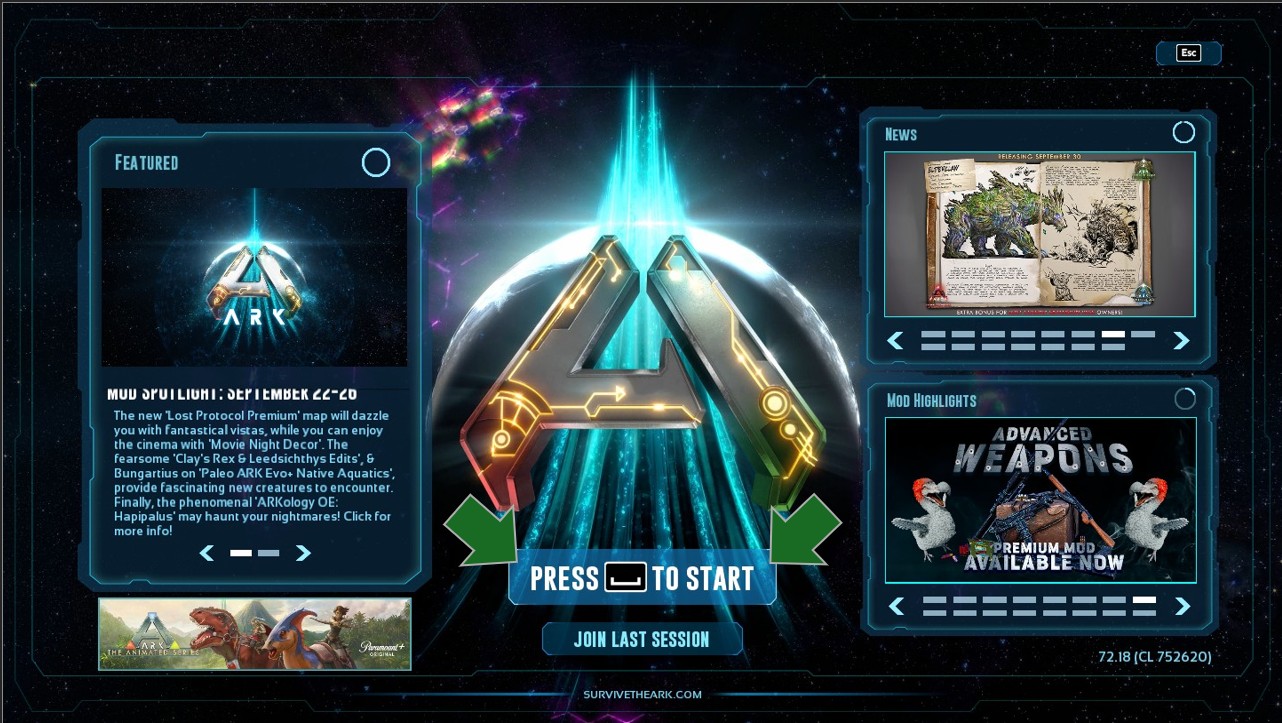
- Open ARK: Survival Ascended. On the first screen, press the button shown or the spacebar to continue to the next screen.
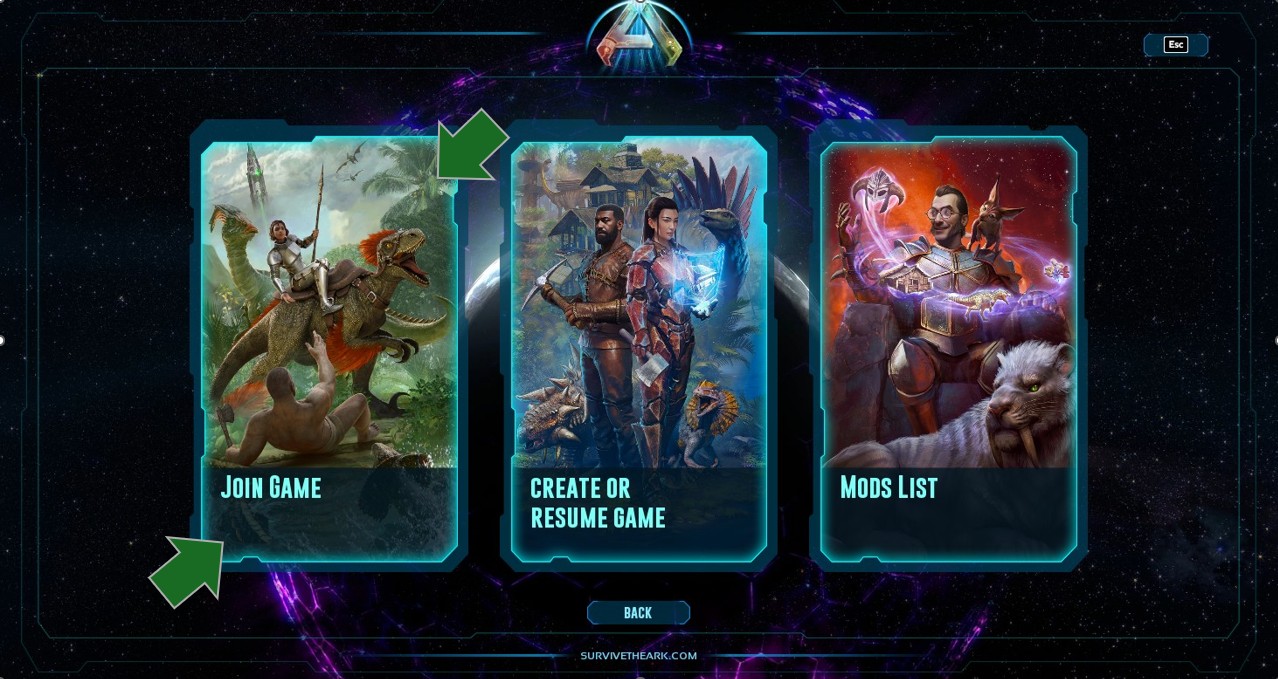
- Click Join Game.
- Select Unofficial (1 in the screenshot below). You must be on Unofficial to find a dedicated server.
- Type the first few characters of your server name in the search box (2). Add more characters if needed.
- Optional: use option 3 to keep your server at the top of the list for easier selecting.
- If you set a server password on the Startup tab in the panel, check Show Password Protected Servers (4). If not, leave it unchecked.
- Make sure Show Player Servers (5) is checked. It must always be checked to find a dedicated server.
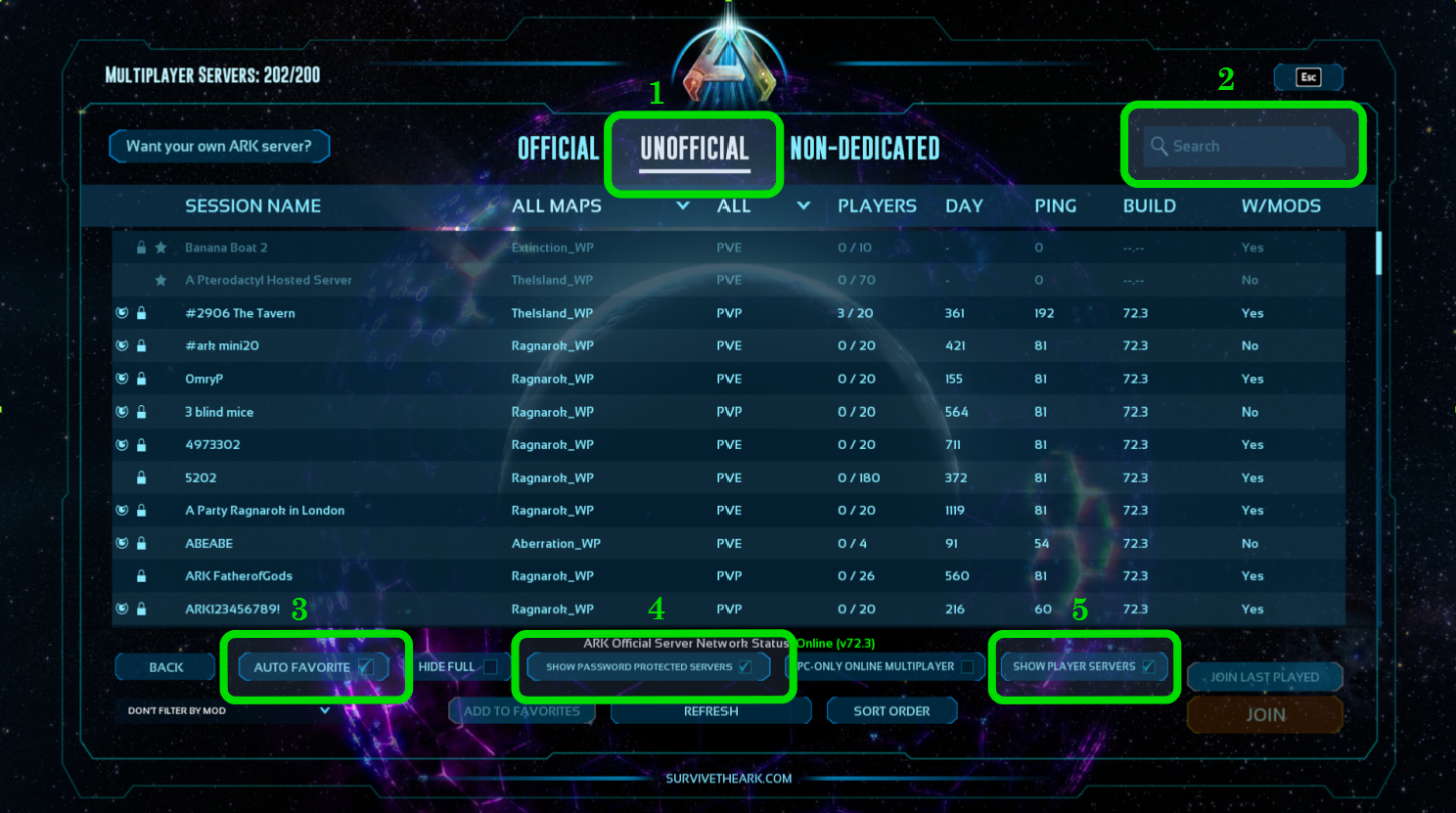
- Select your server in the list to join it.
¶ Option 2: Direct connection with the console
This only works if the server has no password. Only use it if you cannot find your server with Option 1 and you are sure it is online and can be joined.
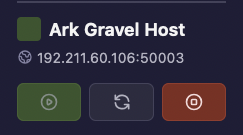
- In the panel, copy your server's IP address and port.
- In game, open the console: press
~(tilde) on PC, Options (three lines) on PS5, or View (two squares) on Xbox. - Type
open SERVERIP:PORT, replacingSERVERIP:PORTwith your server's IP address and port. For example:
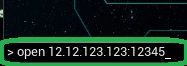
- Run the command: press Enter on PC, X on PS5, or A on Xbox.
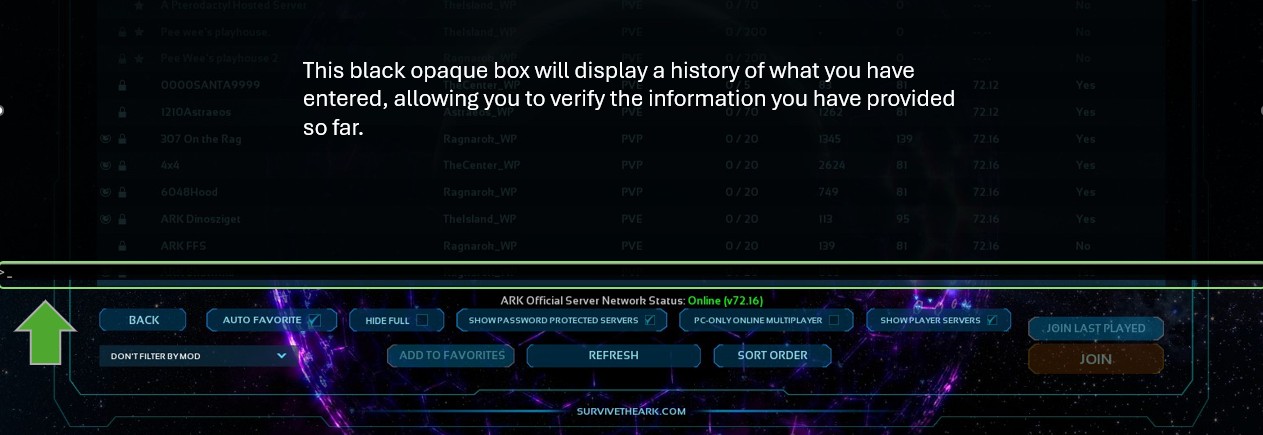
On PC, the console looks different depending on how you open it:
- A single
~press opens a box at the bottom of the screen with no history.

- A double
~press opens a box higher up that shows your command history.
¶ Check it worked
The game loads the map and you spawn on your server.
¶ Troubleshooting
¶ My server is not in the Unofficial list
Check that you are on Unofficial and that Show Player Servers is checked. If your server has a password, also check Show Password Protected Servers. If it still does not appear, try the direct connection method.
¶ The direct connection does not work
Direct connection only works when the server has no password. If your server has one, join from the Unofficial server list instead.
¶ Related guides
- How to Add Mods to Your ARK: Survival Ascended Server
- How to Enable Cheats on Your ARK: Survival Ascended Server
- How to Change the Map on Your ARK: Survival Ascended Server
Still stuck? Our team is on Discord, or open a ticket from the Billing Panel.