Applies to: Minecraft Java with Paper, Spigot or Purpur, on the Gravel Host Panel · Time: about 5 minutes · Difficulty: Beginner
GeyserMC lets Bedrock Edition players on mobile, console and Windows join your Java server. Floodgate lets them join without owning a Java account.
¶ Before you start
- A Minecraft Java server with Gravel Host, running Paper, Spigot or Purpur. No server yet? Get one here
- Your server on the latest Minecraft version. Switch with Version Changer if you need to.
- Prefer video? Watch How To Set Up GeyserMC For Minecraft on our YouTube channel.
¶ Steps
¶ Option 1: One-click Bedrock support (recommended)
- In the panel, open Properties from the left sidebar.
- On the Bedrock support card, click Enable. The panel installs Geyser and Floodgate and sets up a separate port for Bedrock players.
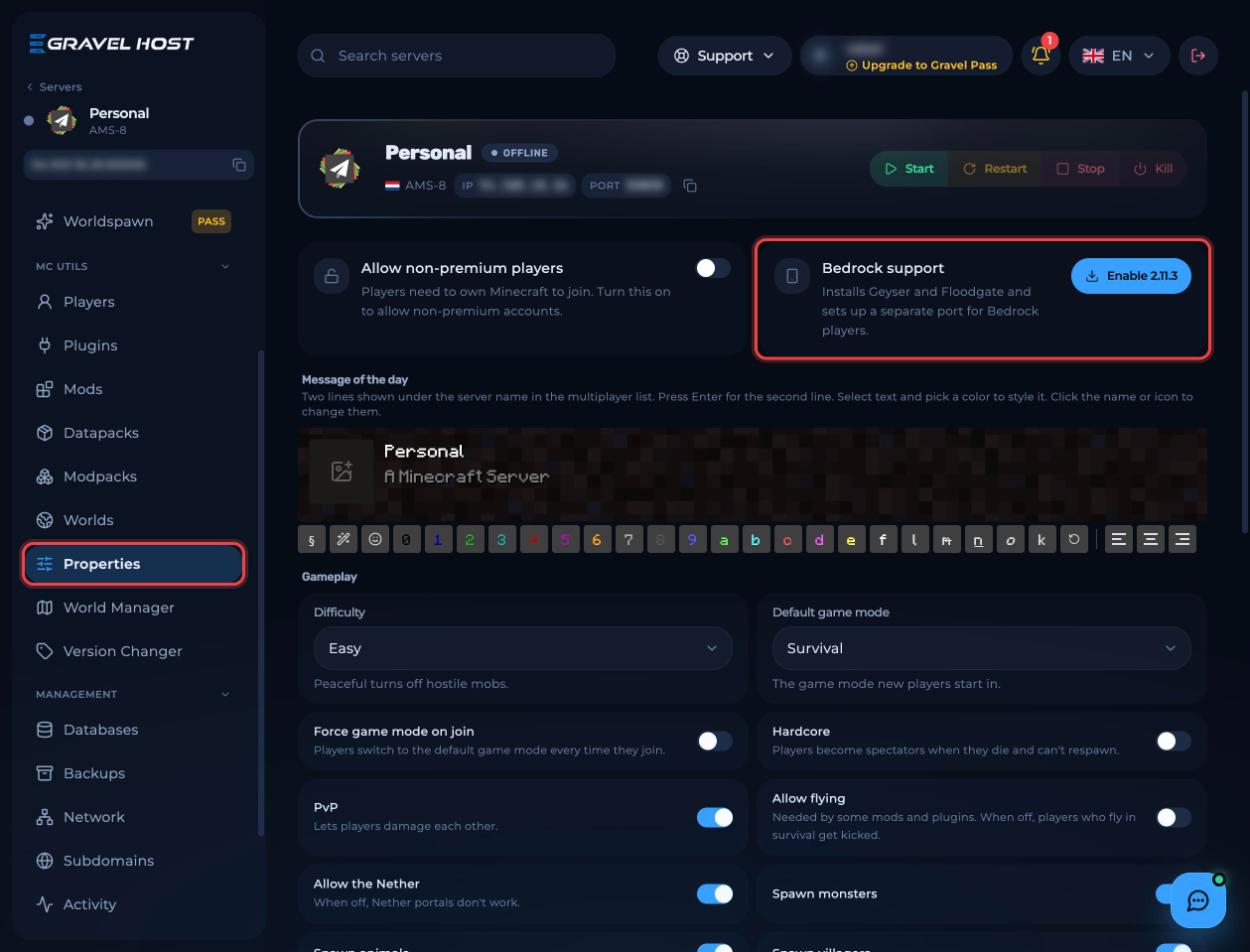
- Restart the server.
¶ Option 2: Install it yourself
Stop your server before you change any files.
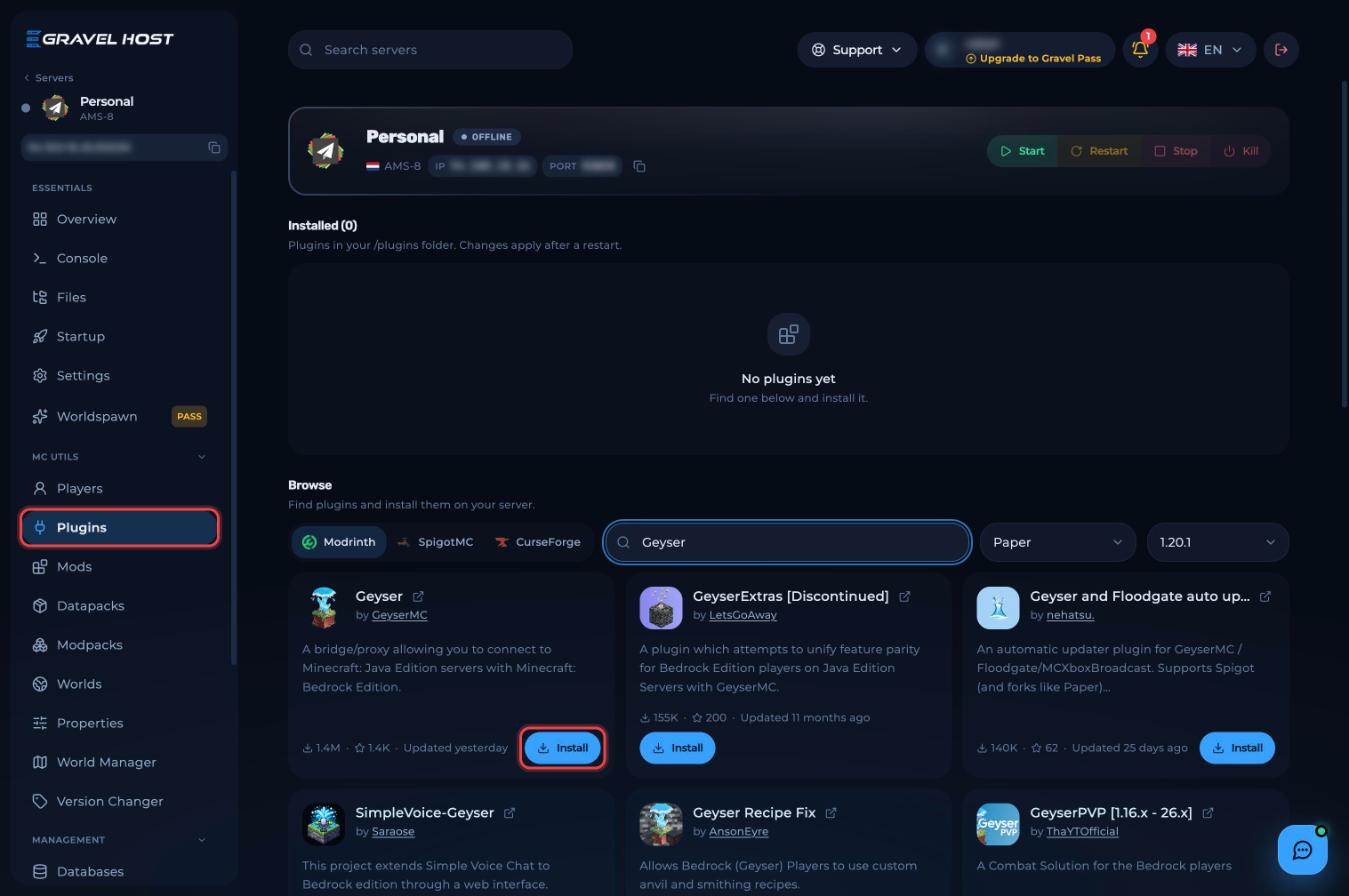
- Open Plugins from the left sidebar.
- Search for
Geyserand click Install on the Geyser plugin by GeyserMC.
- Download Floodgate for Spigot / Paper from the official GeyserMC download page.
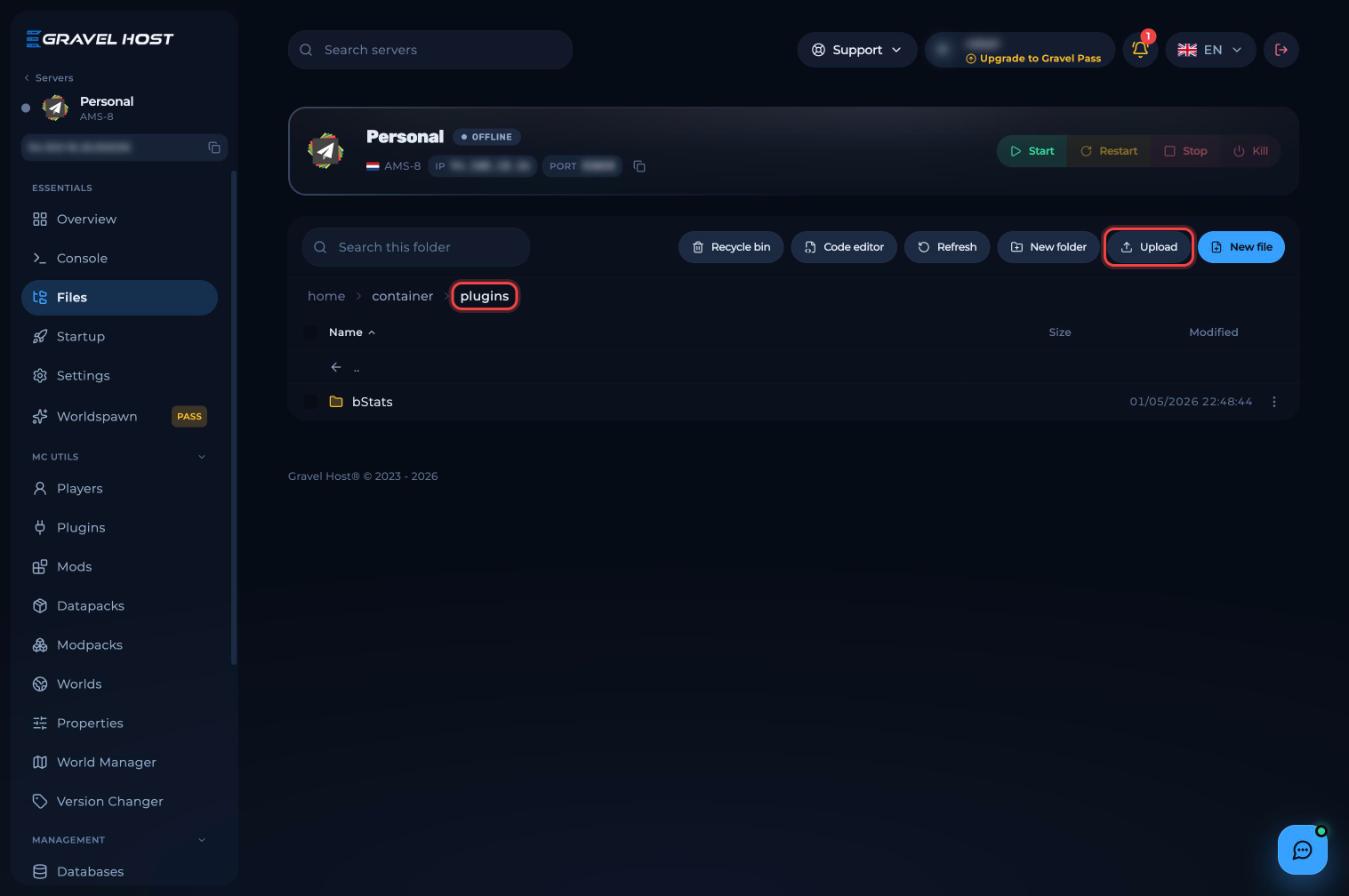
- Open Files, go into the
pluginsfolder and click Upload. Upload the Floodgate.jarfile.
- Start the server once so both plugins create their config files, then stop it.
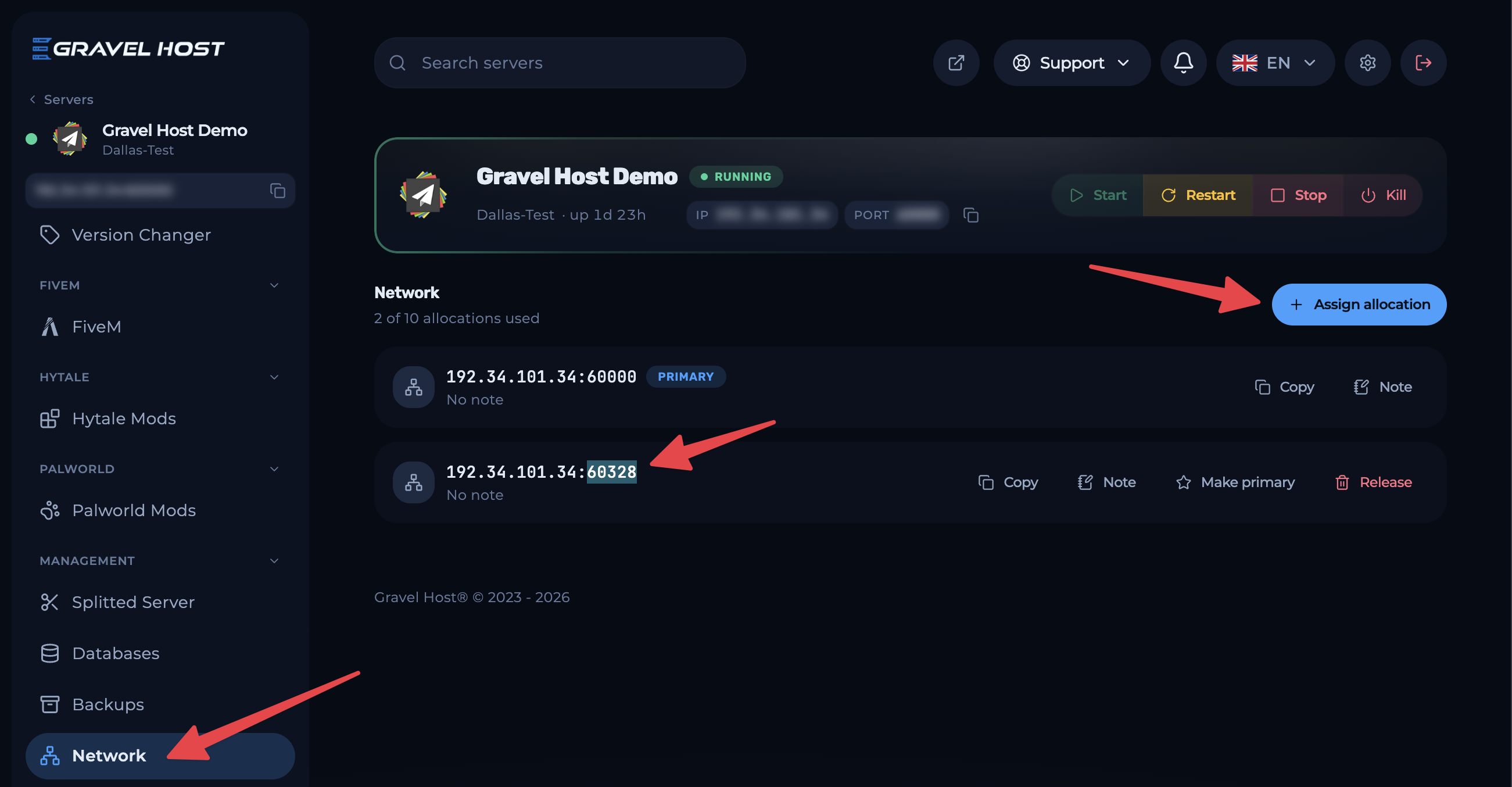
- Open Network from the left sidebar and click Assign allocation. Copy the new port.
- In Files, open
plugins/Geyser-Spigot/config.yml. - Under
bedrock:, changeport: 19132to the port you copied. - Find
auth-type: onlineand change it toauth-type: floodgate. - Save the file and start the server.
¶ Check it worked
Bedrock players add a server with your server IP and the Bedrock port. Java players keep joining with the usual address.
¶ Troubleshooting
¶ Bedrock players see "Unable to connect to world"
Bedrock players are using the wrong port, or the server was not restarted. With Option 2, check the port in config.yml matches your new allocation, save, then restart.
¶ Bedrock players are asked to sign in to a Java account
Floodgate is missing, or auth-type is still set to online. Fix whichever applies and restart.
¶ Related guides
- How to Join Your Minecraft Server
- How to Set Up Simple Voice Chat on Your Minecraft Server
- How to Upload a World to Your Minecraft Server
Still stuck? Our team is on Discord, or open a ticket from the Billing Panel.