Applies to: Minecraft Java with Paper, Spigot, Bukkit, Fabric, Forge or Quilt, on the Gravel Host Panel · Time: about 10 minutes · Difficulty: Beginner
Simple Voice Chat adds proximity voice chat to your server. It needs its own port, which you assign in the panel.
¶ Before you start
- A Minecraft Java server with Gravel Host running Fabric, Forge, Bukkit / Spigot / Paper or Quilt. Change it with Version Changer. No server yet? Get one here
- Simple Voice Chat installed on every player's game client too.
- Prefer video? Watch How to Install & Set Up Simple Voice Chat in Minecraft on our YouTube channel.
¶ Steps
¶ Install on Paper, Spigot, Bukkit or Quilt
- In the panel, open Plugins, search for
Simple Voice Chatand click Install.
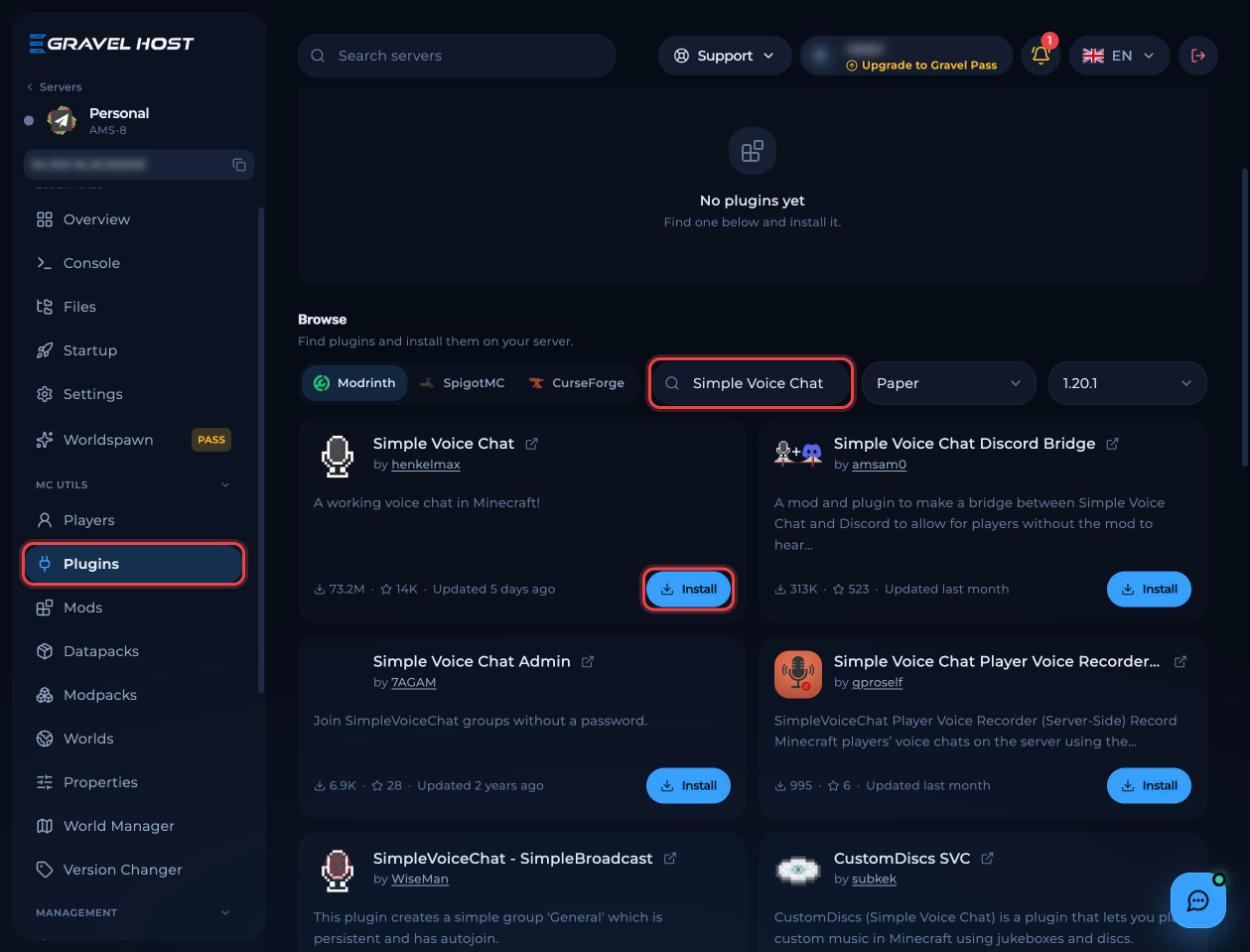
- To install it manually instead, download it from CurseForge, stop the server and upload it to the
pluginsfolder in Files.
¶ Install on Fabric or Forge
- Download Simple Voice Chat for your loader from Modrinth (alternative download).
- Open Files and go into the
modsfolder. Create it if it does not exist.
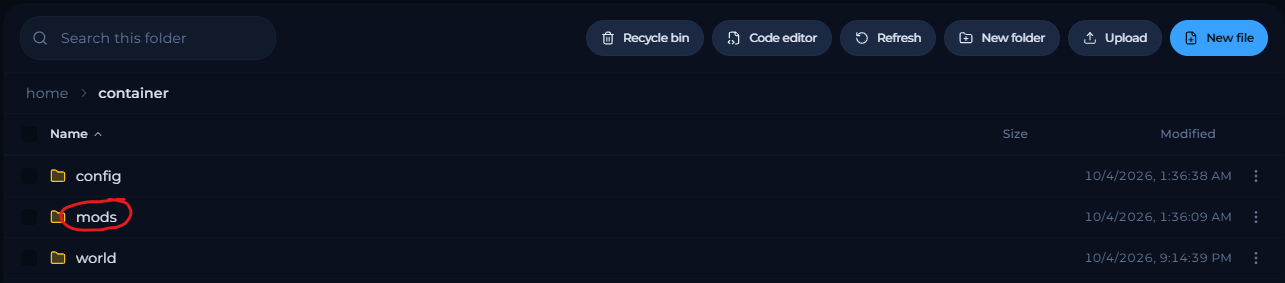 - Drag and drop the Simple Voice Chat
.jarinto the browser window.


¶ Give voice chat its own port
- Start the server and wait until it fully starts, then stop it.
- Open Network and click Assign allocation. Copy the new port.
- In Files, go to
plugins/voicechatand openvoicechat-server.properties. - Paste the port after
port=. - Save the file and start the server.
¶ Check it worked
Join the server with Simple Voice Chat installed on your client. The voice chat icon shows you as connected.
¶ Troubleshooting
¶ Players see "Voice chat not connected"
The port in voicechat-server.properties does not match your new allocation, or the server was not restarted after saving.
¶ Related guides
- How to Install GeyserMC on Your Minecraft Server
- How to Add Mods to Your Minecraft Server
- How to Join Your Minecraft Server
Still stuck? Our team is on Discord, or open a ticket from the Billing Panel.