Applies to: Project Zomboid on the Gravel Host Panel · Time: about 5 minutes · Difficulty: Beginner
Join your Project Zomboid server by saving it as a favorite in the game, which is the fastest way, or by adding it to your Steam favorites.
¶ Before you start
- A Project Zomboid server with Gravel Host. No server yet? Get one here
- Your Server Address from the Gravel Host Panel.
- Prefer video? Watch How to Play Project Zomboid With Friends on our YouTube channel.
¶ Steps
¶ Option 1: In-game favorites (fastest)
- Log in to the Gravel Host Panel and copy your Server Address.
- Open Project Zomboid and click JOIN.
- On the right side, enter the IP address you copied into
IP:. - Enter the port under
Port:. - Enter an Account Username and Account Password. Both are required.
- Choose a Favorite Name for your server.
- Click Save, then Refresh.
¶ Option 2: Steam favorites
- Log in to the Gravel Host Panel and copy your Server Address.
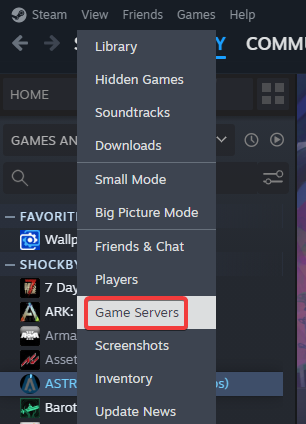
- In the top left of the Steam client, click View > Game Servers.
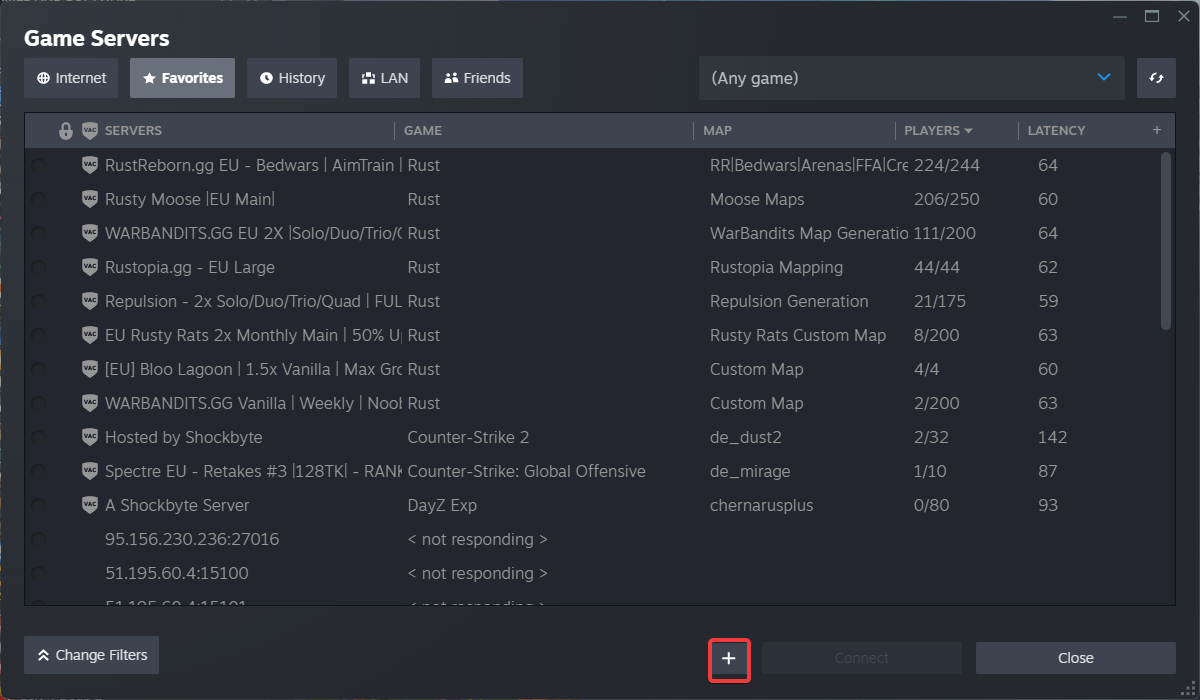
- Open the Favorites tab, then click Add server by IP or the + button.
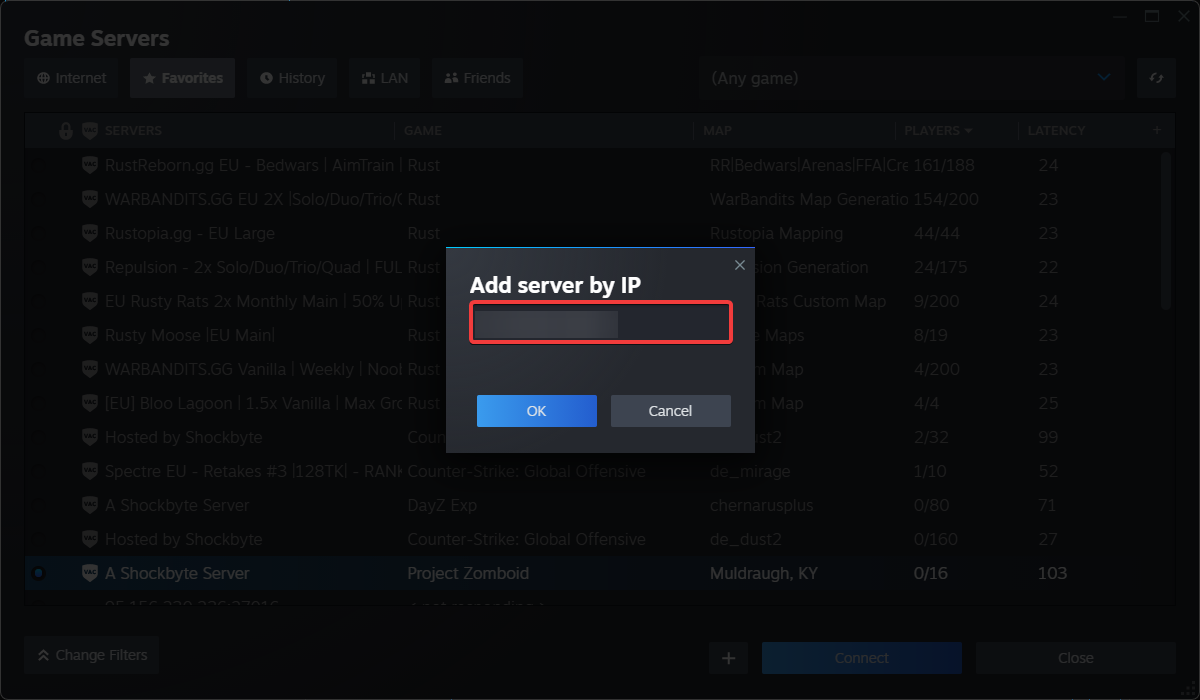
- Paste the Server Address into the box and click OK.
- Choose your server from the list and click Connect.
¶ Check it worked
You load into your Project Zomboid server.
¶ Related guides
Still stuck? Our team is on Discord, or open a ticket from the Billing Panel.