Applies to: Project Zomboid on the Gravel Host Panel · Time: about 5 minutes · Difficulty: Beginner
Get admin rights on your Project Zomboid server by joining with the built-in admin account. You can then give other players their own admin levels.
¶ Before you start
- A Project Zomboid server with Gravel Host. No server yet? Get one here
- A full list of commands is in Project Zomboid Server Commands.
¶ Steps
- Log in to the Gravel Host Panel.
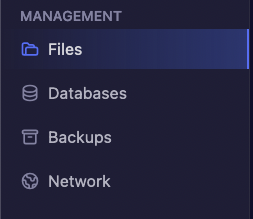
- Open Files from the left-hand side.
- Find
ProjectZomboid.propertiesand click Edit on the file. - Find
admin_passwordand copy its value. - In Project Zomboid, save the server to your favorites with
adminas the Account Name and the password you copied as the Account Password. See How to Join Your Project Zomboid Server. - Join the server with that account.
¶ Admin levels
These are the admin levels on a dedicated Project Zomboid server that you can give to other players. Each level has its own set of commands, and admin has the fullest access.
adminmoderatoroverseergmobserver
Assign a level with the setaccesslevel command, for example setaccesslevel "user" "moderator" in the panel console.
¶ Check it worked
After joining with the admin account, you have admin rights on your server.
¶ Related guides
Still stuck? Our team is on Discord, or open a ticket from the Billing Panel.